Sample: a PDF before and after
We made a typical 2-page set of meeting minutes with a logo, numbered sections, bullet lists, a fee table and a link, exported with no accessibility tags. PDFAccessly fixed it in 21 seconds: from 224 failures of PDF/UA-1 machine checks to none, with all 379 words kept. Nothing on this page was edited by hand.
Download the original PDF Download the fixed PDF
Maple Hollow is not a real city; we wrote this document for the demonstration so you can test the files with your own screen reader or checker.
The original
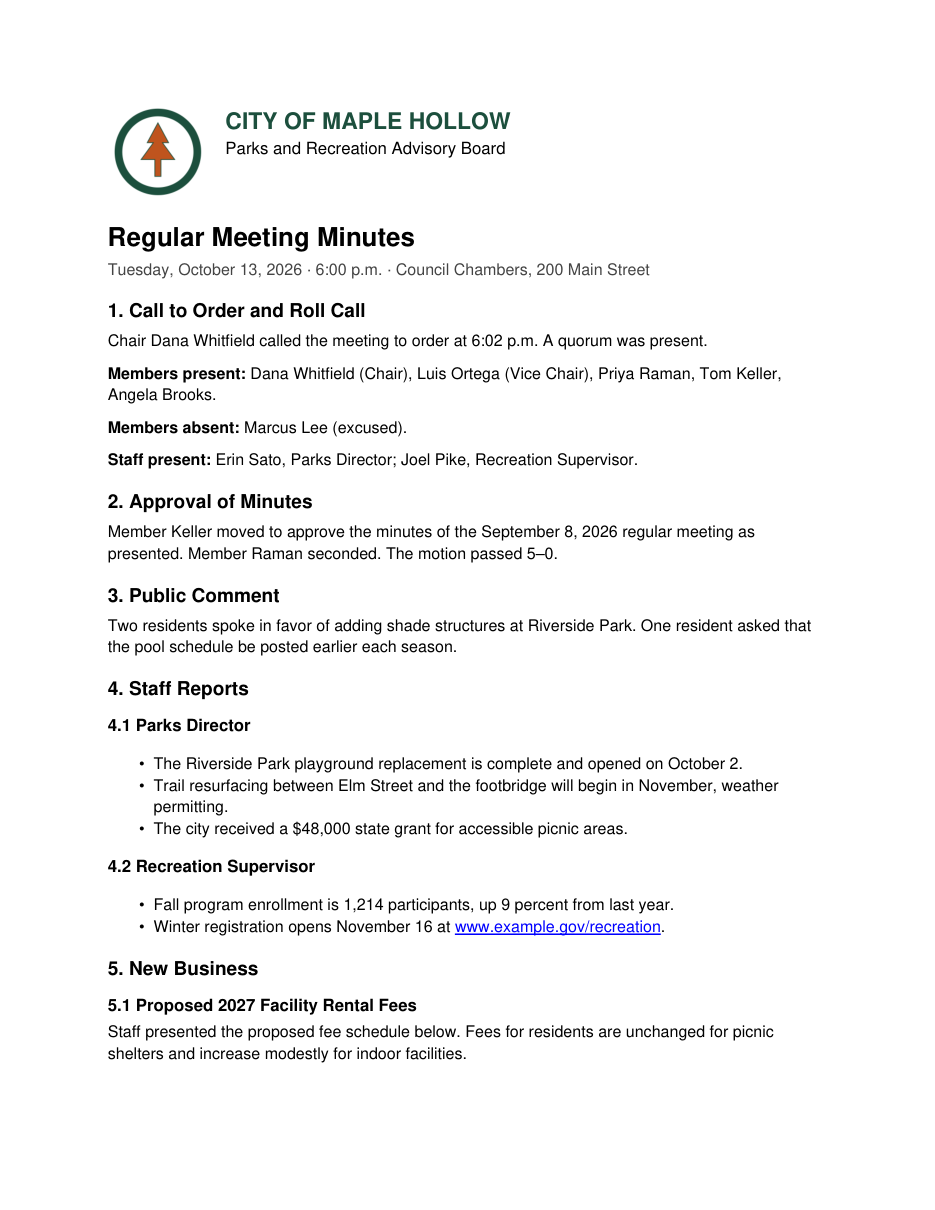
It looks fine on screen. To a screen reader it is one undivided run of text: no headings to jump between, a logo announced as nothing, a table read as a string of numbers, and no document title or language.
What the free check found
| Problem | Rules failed | Places |
|---|---|---|
| Untagged content, missing title or metadata | 4 | 149 |
| Missing language, or list and table structure problems | 1 | 74 |
| Other PDF/UA problems | 1 | 1 |
Total: 6 rules failed in 224 places. The file had no tags at all.
After the automatic fix
| PDF/UA-1 machine checks (veraPDF) | Pass, 0 failures |
|---|---|
| Text preserved | All 379 words of the original are present |
| Document title | City of Maple Hollow Parks and Recreation Advisory Board Meeting Minutes, October 13, 2026 |
| Headings | 12 headings in three levels |
| Table | Column headers and row headers marked, so each fee is announced with its facility and column |
| Logo description | “City of Maple Hollow logo featuring an orange pine tree inside a dark green circle.” |
| Time | 21 seconds |
| Cost | 2 pages (free within the 5 free pages a month; $0.90 to $1.56 from a page pack) |
What a screen reader user gets
These are the headings a person can now jump between (the H key in NVDA or JAWS). The original had none.
- H1 CITY OF MAPLE HOLLOW
- H2 Regular Meeting Minutes
- H2 1. Call to Order and Roll Call
- H2 2. Approval of Minutes
- H2 3. Public Comment
- H2 4. Staff Reports
- H3 4.1 Parks Director
- H3 4.2 Recreation Supervisor
- H2 5. New Business
- H3 5.1 Proposed 2027 Facility Rental Fees
- H3 5.2 Shade Structures at Riverside Park
- H2 6. Adjournment
The fee table is announced cell by cell with its headers, for example: “Community room (per hour), Non-resident fee, $50”.
What you should still review
- The logo description above was written by an AI model. It is accurate here; always read image descriptions before publishing.
- Software cannot judge whether headings match the meaning of your document. Skim the heading list in the report.
- This sample is a clean, text-based document, which is what the tool handles best. Designed newsletters, flyers and fillable forms need more review. See what it does and does not do.
Last updated: